
로그인 선택
미리보기
커뮤니티

 23.06.15
글 등록
DEVOTEE를 활성화 시키면
지금 작성한 커뮤니티 글에 대해 1개의 댓글을 달아줍니다.
버튼을 누르면 글 수정 시 ChatGPT가 작성한 댓글이 수정됩니다.
임시저장함
최대 20건까지 저장합니다.
| 컨텐츠 유형 | 제목 | 저장일 | 삭제 |
|---|

본인인증
고객님의 소중한 개인정보보호를 위해
본인인증을 진행해주세요. 본인인증 미 진행 시 로그인이 제한됩니다.
본인인증 로그인에 실패하였습니다.
회원이 아니시거나 본인인증 등록이
완료되지 않은 사용자입니다.
회원정보 연결
Stable Diffusion: Azure VM에서 AI 기반 이미지 생성의 힘

- DEVOTEE 요약
- ChatGPT와 Azure를 통해 이미지 생성을 실험하고 있으며, Stable Diffusion이라는 독일 뮌헨 대학의 오픈소스 AI 모델을 활용해 텍스트 기반 이미지 합성을 시도하고 있다. Azure VM에 Stable Diffusion을 컨테이너 방식으로 설치하는 방법을 탐색하였고, Ubuntu 22.04 LTS에서 도커를 통해 환경 구축을 시도했다. 비용 관리와 효율적인 이미지 생성을 위해 시간당 약 4천원의 비용을 고려하여 VM 사용을 계획하며, 실험 결과에 대한 반응은 긍정적이었다.
ChatGPT를 통해 손쉽게 이미지도 생성하는 시대가 되었다.
현재 맡고 있는 이프랜드스튜디오 서비스에 이미지 생성을 이용한 실험이 필요하였다. 생성 이미지 결과에 대한 프로젝트 참여자의 반응은 나쁘지 않았다.
ChatGPT 말고 Azure를 통한 이미지 생성에 대한 방안을 찾아 보았다. 다행히 Azure에서도 ready-made 또는 API 형태로 제공하는 서비스가 있기는 했다.
하지만, 독자적인 인프라로 구성하여 bulk로 구독료나 이용료를 내지 않는 방법에 대한 궁금증이 생겨 좀 더 찾아 보았다.
Azure VM에 설치할 수 있으면 사용 시간 관리를 통해 비용을 직접 통제하기가 편리하다.
Azure VM에 컨테이너 방식으로 Stable Diffusion을 구성할 수 있는 방법이 있어 소개하고자 한다.
Stable Diffusion이란?
Stable Diffusion: 독일 뮌헨 대학 CompVis 연구실의 “잠재 확산 모델을 이용한 고해상도 이미지 합성 연구”를 기반하여,
Stability AI와 Runway ML 등의 지원을 받아 개발된 딥러닝 인공지능 모델로 오픈소스로 공개되어 있다.
Stable Diffusion은 텍스트 설명을 바탕으로 사실적이고 다양한 이미지를 생성할 수 있는 강력한 AI 모델이다.
이 모델은 '확산(diffusion)' 기술을 사용하여 이미지에 점진적으로 노이즈를 추가한 뒤, 이 과정을 역으로 학습하여 새로운 이미지를 생성한다.
이런 과정을 통해 시각적으로 아름답고 의미있는 이미지를 만들어낼 수 있다.
Stable Diffusion은 방대한 이미지와 텍스트 데이터셋을 학습하여 다양한 시각적 개념을 이해하고 표현할 수 있다.
이 도구를 활용해서 예술가, 디자이너, 그리고 독특하고 매력적인 이미지를 만들고자 하는 모든 사람들에게 강력한 도구가 되고 있다.
추천 VM 사양
VM Series: NC Series (e.g., NC6)
CPU: At least 6 vCPUs
GPU: 1 x NVIDIA Tesla K80 or better
RAM: 56 GB or more
Storage: 340 GB SSD or more
This specification is based on the general requirements for machine learning tasks and the specific needs of Stable Diffusion, which includes GPU acceleration for efficient processing.
The NC series in Azure is designed for compute-intensive and network-intensive applications, including deep learning and simulations. The NVIDIA Tesla K80 GPU provides good performance for such tasks.
Azure에 설치 결과
aop@vm-stable-diffusion-gpu:~$ df -h
Filesystem      Size  Used Avail Use% Mounted on
/dev/root       248G  2.2G  246G   1% /
tmpfs            55G     0   55G   0% /dev/shm
tmpfs            22G 1016K   22G   1% /run
tmpfs           5.0M     0  5.0M   0% /run/lock
/dev/sda15      105M  6.1M   99M   6% /boot/efi
/dev/sdb1       724G   32K  687G   1% /mnt
tmpfs            11G  4.0K   11G   1% /run/user/1000
VM용 OS
아래는 설치된 OS에 대한 설명이다.
Ubuntu 22.04 LTS:
이 Ubuntu 버전은 장기적인 지원, 안정성 및 광범위한 호환 소프트웨어 패키지를 제공합니다.
Linux를 처음 접하는 사용자에게는 사용자 친화적이고 고급 사용자에게는 충분히 강력합니다.
Ubuntu의 광범위한 커뮤니티와 문서를 통해 문제 해결이 더 쉬워집니다.
또한 많은 기계 학습 도구와 라이브러리가 Ubuntu에 대해 테스트 및 최적화되어 Stable Diffusion의 보다 원활한 설치 및 작동을 보장합니다.
선택 사양에 따른 비용
비용을 생각하지 않을 수 없다. 구성할 때 한 번 정도를 체크를 해 본다.
프로젝트 수행할 때 소요되는 비용에 대한 감을 어느 정도 잡을 수 있다. 시간당 4천원이 조금 넘는 비용이 발생한다.
도커로 설치 준비
우분투에 도커 설치 부터 진행한다.
우분투 시스템 업데이트:
sudo apt update
sudo apt upgrade
도커 패키지 설치를 위한 패키지 관리자 설치:
sudo apt install apt-transport-https ca-certificates curl software-properties-common도커 공식 GPG(GNU Privacy Guard) 키 추가:
curl -fsSL https://download.docker.com/linux/ubuntu/gpg | sudo gpg --dearmor -o /usr/share/keyrings/docker-archive-keyring.gpg도커 저장소 추가:
echo "deb [arch=amd64 signed-by=/usr/share/keyrings/docker-archive-keyring.gpg] https://download.docker.com/linux/ubuntu $(lsb_release -cs) stable" | sudo tee /etc/apt/sources.list.d/docker.list > /dev/null도커 패키지 설치:
sudo apt update
sudo apt install docker-ce docker-ce-cli containerd.io
도커로 설치 절차 제공 github repo
# 수행 명령어 : 다운로드와 기동
sudo docker compose --profile download up --build
설치 후 에러 발생 해소 1
Error response from daemon: could not select device driver "nvidia" with capabilities: [[compute utility]]
Install NVIDIA Container Toolkit and restart the docker service #81
설치 후 에러 발생 해소 2
Error response from daemon: failed to create task for container: failed to create shim task: OCI runtime create failed: runc create failed: unable to start container process: error during container init: error running hook #0: error running hook: exit status 1, stdout: , stderr: Auto-detected mode as 'legacy'
nvidia-container-cli: initialization error: load library failed: libnvidia-ml.so.1: cannot open shared object file: no such file or directory: unknown
우분투 드라이버 설치
sudo apt install ubuntu-drivers-common
ubuntu-drivers devices 명령
ubuntu-drivers devices
ERROR:root:aplay command not found
== /sys/devices/LNXSYSTM:00/LNXSYBUS:00/ACPI0004:00/VMBUS:00/47505500-0001-0000-3130-444531444234/pci0001:00/0001:00:00.0 ==
modalias : pci:v000010DEd00001DB4sv000010DEsd00001214bc03sc02i00
vendor   : NVIDIA Corporation
model    : GV100GL [Tesla V100 PCIe 16GB]
driver   : nvidia-driver-535 - distro non-free recommended
driver   : nvidia-driver-470-server - distro non-free
driver   : nvidia-driver-525-server - distro non-free
driver   : nvidia-driver-418-server - distro non-free
driver   : nvidia-driver-525 - distro non-free
driver   : nvidia-driver-535-server - distro non-free
driver   : nvidia-driver-450-server - distro non-free
driver   : nvidia-driver-470 - distro non-free
driver   : nvidia-driver-390 - distro non-free
driver   : xserver-xorg-video-nouveau - distro free builtin
현재 사용중인 그래픽카드 확인
lshw -numeric -C display
lspci | grep -i nvidia
lshw -numeric -C display
WARNING: you should run this program as super-user.
  *-display UNCLAIMED
       description: 3D controller
       product: GV100GL [Tesla V100 PCIe 16GB] [10DE:1DB4]
       vendor: NVIDIA Corporation [10DE]
       physical id: 0
       bus info: pci@0001:00:00.0
       version: a1
       width: 64 bits
       clock: 33MHz
       capabilities: cap_list
       configuration: latency=0
       resources: iomemory:100-ff iomemory:140-13f memory:41000000-41ffffff memory:1000000000-13ffffffff memory:1400000000-1401ffffff
  *-graphics
       product: hyperv_drmdrmfb
       physical id: 1
       logical name: /dev/fb0
       capabilities: fb
       configuration: depth=32 resolution=1024,768
WARNING: output may be incomplete or inaccurate, you should run this program as super-user.
권장 드라이버 자동으로 설치
sudo ubuntu-drivers autoinstall
설치 후 재부팅 sudo reboot now
다시 기동
sudo docker compose --profile auto up --build
정리
Azure VM에 어렵지 않은 방법으로 Stable Diffusion 환경을 구성할 수 있었다.
GPU가 있어 이미지 생성에는 빠른 속도로 결과를 제공해 준다.
비용이 걱정이라면 시간당 4천원 정도의 비용을 고려하여 VM을 일정시간만 Auto scheduling을 통해서 사용해 볼 수 있다.
broccoli 님의 최신 블로그
더보기-

- LLM과 Reveal.js로 슬라이드를 쉽게 만들고 공유하기
- 블로그를 운영하다 보면 작성한 글을 슬라이드와 같은 형식으로 효과적으로 공유해야 할 때가 있습니다. 이럴 때마다 슬라이드를 처음부터 새로 만드는 것은 상당한 시간과 노력이 필요한 작업입니다. 하지만, LLM과 Reveal.js를 활용하면 작성한 글을 효율적으로 슬라이드로 변환하고, GitHub Pages를 통해 쉽게 게시하여 함께 볼 수 있습니다. 이 글에서는 그 과정에 대한 아이디어를 나누어 보도록 하겠습니다. 블로그 글을 슬라이드로 변환해야 하는 이유 블로그 글은 상세한 설명과 깊이 있는 내용을 담기에 적합한 형식이지만, 발표나 강연에서는 핵심 내용을 시각적으로 전달할 수 있는 슬라이드가 더 효과적입니다. 블로그 글을 슬라이드로 변환하면 유용한 상황들이 있습니...
-

- 빠르게 실행해 볼 수 있는 AI 시대 - 프로젝트에 투입해야 하는 서버
- 들어가는 말 빠르게 실행해볼 수 있는 AI 시대의 글로 이번에는 하드웨어 분야 서버에 관한 내용으로 공유해 보도록 하겠습니다. AI 기술의 발전은 우리 사회의 많은 영역에 변화를 가져오고 있으며, 특히 엔지니어링 전문 분야에서의 역할과 접근 방식에도 깊은 영향을 미치고 있습니다. 과거에는 특정 분야의 깊이 있는 전문성이 중요했지만, 이제는 AI를 통해 새로운 지식을 빠르게 습득하고 다양한 문제에 유연하게 대처하는 능력이 점차 중요해지고 있다고 말할 수 있을 것입니다. 온프레미스 환경에 노출된 개발자가 하드웨어를 다루는 과정의 내용을 통해 AI시대 엔지니어의 역할에 대해 생각해 볼 수 있는 기회가 되었으면 합니다. 예상치 못한 온프레미스 도전 풍부한 클라우드 환경에...
-

- 진짜 AI 에이전트형 코딩 툴 'Claude-Code'
- Claude Code 왜 지금 핫한가? Claude Code란? Claude Code는 Anthropic에서 개발한 AI 기반 코딩 에이전트입니다. 단순한 코드 자동 완성 기능을 넘어 자율적(agentic) 코딩을 지원하는 강력한 도구입니다. 2025년 현재, Claude Code는 개발자가 복잡한 소프트웨어 프로젝트를 계획하고, 작성하며, 디버깅하고, 배포하는 전 과정을 자동화하거나 간소화할 수 있도록 설계되었습니다. 기존 AI 코딩 도구(예: Copilot, Cursor)는 코드 자동완성‧스니펫 제안에 초점이 있지만, Claude Code는 전체 코드베이스를 실제로 탐색, 분석, 수정, 커밋, 푸시까지 ‘엔지니어처럼’ 처리하는 AI 도구입니다. 예를 들어, 사...
-

- KVM 기반 VM의 외부 접근성 향상을 위한 브리지 네트워크 구성
- 들어가는 말 올해 프로젝트는 온프레미스 환경에서의 도전 과제들이 많이 발생되고 있습니다. 그 중의 하나로 외부 네트워크를 통해서 호스트에 접속한 후에 호스트에 구성된 KVM 기반의 VM에 접속하는 불편을 해결하는 요구사항에 대한 과제입니다. 즉, 외부에서도 VM(가상머신)에 직접 접속할 수 있는 방법의 제시가 필요합니다. 브리지 네트워크 구성 방식의 특징 브리지 네트워크는 KVM 기반 VM에 외부에서 접근할 때 일반적으로 선호되는 방식입니다. 직접적인 IP 할당 : 브리지 네트워크를 사용하면 VM이 호스트와 동일한 네트워크에 존재하게 되어, VM에 IP를 직접 할당할 수 있습니다. 이는 NAT(Network Address Translation) 방식과 달리, VM...
DEVOTEE 추천 블로그
-

- Azure에서 Open AI 기능 사용하기
- 클라우드 서비스의 발전으로 인공지능(AI)과 머신러닝(ML)을 손쉽게 활용할 수 있는 시대가 열렸습니다. 그 중에서도 Microsoft Azure는 다양한 AI 기능을 제공하며, 최근에는 OpenAI와의 협력을 통해 더욱 강력한 AI 도구들을 사용할 수 있게 되었습니다. 이번 블로그에서는 Azure에서 OpenAI 기능을 어떻게 활용할 수 있는지에 대해 살펴보고, 간단한 애플리케이션 예시를 들어보겠습니다. Azure와 OpenAI의 결합은 자연어 처리(NLP), 이미지 생성, 데이터 분석 등 다양한 분야에서 뛰어난 성능을 발휘합니다. 특히, GPT-4 모델을 기반으로 한 텍스트 생성, 요약 등은 사용자 경험을 한층 더 향상시키는 데 큰 도움이 될 것 같습니다. 기...
-
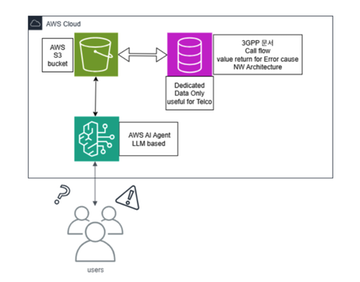
- AWS Claude를 활용한 Wireshark 패킷분석 부터 VoC 대응까지(3회차_AWS S3, Lambda 생성 및 연동완료)
- 갑자기 8월 부터 모의훈련 준비로 두달정도 term 이있었지만 아직 좀 해야겠다는 마음의 소리는 우렁차게 나고 있던 찰나... 아무튼간의 나는 위의 아케텍쳐를 만들어놨고 S3 bucket은 적당히 AWS 프리티어를 쓰면 좋겠다 싶어서 일단 AWS Free tier 계정을 만들고 S3에 규격들을 먼저 upload 해보았다. 아, 그리고 설계는 Chatgpt pro model을 통해서 영어로 질문하면서 좀 컨셉을 유지해갔다. (짧은 영어지만 열심히 함...) 이런식으로 만들라고 하는데, 일단 기본적으로 AWS free tier 계정을 만들고 1년간 받은 자원을 활용하여 쓸 수 있는데까지 쓰고 안되는 곳은 카드로 결제를 하려했다. AWS에는 일단 2개의 프리티어를 내가...

DEVOTEE를 활성화 시키면
지금 작성한 댓글에 AI가 댓글을 달아줍니다.