
로그인 선택
미리보기
커뮤니티

 23.06.15
글 등록
DEVOTEE를 활성화 시키면
지금 작성한 커뮤니티 글에 대해 1개의 댓글을 달아줍니다.
버튼을 누르면 글 수정 시 ChatGPT가 작성한 댓글이 수정됩니다.
임시저장함
최대 20건까지 저장합니다.
| 컨텐츠 유형 | 제목 | 저장일 | 삭제 |
|---|

본인인증
고객님의 소중한 개인정보보호를 위해
본인인증을 진행해주세요. 본인인증 미 진행 시 로그인이 제한됩니다.
본인인증 로그인에 실패하였습니다.
회원이 아니시거나 본인인증 등록이
완료되지 않은 사용자입니다.
회원정보 연결
DataLake의 대중화, 개인용 DataLake의 시대 - DuckDB

- DEVOTEE 요약
- DuckDB는 Google의 Jordan Tigani가 'big data is dead'를 발표하면서 주목받기 시작한 오픈소스 인메모리 SQL OLAP 데이터베이스 처리 시스템으로, 데이터 분석 및 OLAP에 최적화되어 있으며 C++로 구현되어 있습니다. 이는 애플리케이션 내부에서 동작하며 서버 없이 간단한 파일 기반으로 데이터를 처리하고 저장할 수 있어 설치와 사용이 간단합니다. DuckDB는 표준 SQL을 지원하며 Python과 R과의 연동이 용이하고, 무료 오픈 소스 라이선스로 누구나 사용하고 수정할 수 있어 접근성이 높습니다.
Duck DB
DuckDB는 Google에서 BigQuery를 개발한 Jordan Tigani가 big data is dead 를 발표하면서 유명해진 오픈소스 인메모리 SQL OLAP 데이터 베이스 처리 시스템으로,
빈자를 위한 DataLake 과 같이 본 게시글의 제목처럼 "DataLake의 대중화, 개인용 DataLake의 시대"를 만들어 내기에 너무나 적합한 데이터 베이스 시스템이라 이렇게 소개합니다.
DuckDB?
DuckDB is an in-process SQL OLAP database management system
What’s DuckDB
C++로 작성된 오픈소스이다.
DuckDB is implemented in C++ often produces more compact binaries than Python.
SQLLite와 같이 In-Process이다.
전통적인 RDBMS의 Server-Client 구조가 아닌, Application내에서 processing 된다.
데이터를 in-memory에서 처리 & 파일로 저장도 지원
정리 from kdnuggets
무료 오픈 소스 소프트웨어이므로 누구나 코드를 사용하고 수정할 수 있습니다.
내장되어 있습니다. 즉, DBMS(데이터베이스 관리 시스템)가 이를 사용하는 애플리케이션과 동일한 프로세스에서 실행된다는 의미입니다.
이를 통해 빠르고 간단하게 사용할 수 있습니다.
일반적인 데이터베이스와 같은 트랜잭션 데이터뿐만 아니라 데이터 분석 및 OLAP(온라인 분석 처리)에 최적화되어 있습니다.
이는 집계 및 분석을 최적화하기 위해 데이터가 행 대신 열로 구성됨을 의미합니다.
표준 SQL을 지원하므로 데이터에 대해 쿼리, 집계, 조인 및 기타 SQL 기능을 실행할 수 있습니다.
별도의 프로세스가 아닌 애플리케이션 자체 내에서 프로세스 내에서 실행됩니다. 이는 프로세스 간 통신에 따른 오버헤드를 제거합니다.
SQLite와 마찬가지로 간단한 파일 기반 데이터베이스이므로 별도의 서버 설치가 필요하지 않습니다.
애플리케이션에 라이브러리를 포함시키기만 하면 됩니다.
Why DuckDB?
DuckDB 공식 사이트 설명
DuckDB is a relational (table-oriented) DBMS that supports the Structured Query Language (SQL).
Fast Analytical Queries
Simple and Portable Deployment
Thorough Testing
Free & Open Source License
특장점
간단한 설치
통합: 서버 관리 없음
단일 파일 저장 형식
빠른 분석 처리
R/Python과 RDBMS 간의 빠른 전송
외부 상태에 의존하지 않습니다. 예를 들어, 별도의 구성 파일, 환경 변수.
구성 가능한 인터페이스. Fluent SQL 프로그래밍 API
MVCC를 통한 완전 ACID
정리 from kdnuggets
설치, 배포 및 사용이 간단합니다. 구성할 서버가 없습니다. DuckDB는 애플리케이션 내에 내장되어 실행됩니다. 이를 통해 다양한 프로그래밍 언어 및 환경에 쉽게 통합할 수 있습니다.
단순함에도 불구하고 DuckDB는 풍부한 기능 세트를 갖추고 있습니다. 전체 SQL 표준, 트랜잭션, 보조 인덱스를 지원하고 Python 및 R과 같은 널리 사용되는 데이터 분석 프로그래밍 언어와 잘 통합됩니다.
DuckDB는 누구나 무료로 사용하고 수정할 수 있으므로 개발자와 데이터 분석가가 이를 채택할 수 있는 기준이 낮아집니다.
DuckDB는 잘 테스트되었으며 안정적입니다. 광범위한 테스트 제품군을 갖추고 있으며 안정성을 보장하기 위해 다양한 플랫폼에서 지속적으로 통합 및 테스트됩니다.
DuckDB는 전문적인 OLAP 데이터베이스에 필적하는 성능을 제공하면서도 배포가 더 쉽습니다. 따라서 중소 규모 데이터 세트와 대규모 엔터프라이즈 데이터 세트에 대한 분석 쿼리 모두에 적합합니다.
DuckDB Wasm
DuckDB-Wasm offers a layered API, it can be embedded as a JavaScript + WebAssembly library, as a Web shell, or built from source according to your need
Comparison with…
Python Packages
Pandas
DuckDB는 속도와 효율성을 위해 설계된 인메모리 분석용 데이터베이스
일반적으로 대용량 데이터셋에 대한 SQL 쿼리 실행에 있어 Pandas보다 빠름
DuckDB = 멀티스레드
쿼리를 실행하기 위해 여러 개의 스레드를 사용하며, 멀티코어 시스템에서 큰 성능 향상
Polars
Rust + Python로 구현된 빠르고 유연한 Dataframe 라이브러리
Pandas와 유사한 DataFrame API 제공
About Consice
Lance DB
https://github.com/lancedb/lance
https://github.com/lancedb/lancedb
Pandas를 Wrapping한고 BE를 duckDB, snowflake로 대체한 Ponder
Embedded databases
Embedded databases (1): The harmony of DuckDB, KùzuDB and LanceDB
Internals
White Paper
Overview of DuckDB Internals
On this page is a brief description of the internals of the DuckDB engine.
Parser
The parser converts a query string into the following tokens:
SQLStatement
• QueryNode
• TableRef
• ParsedExpression
The parser is not aware of the catalog or any other aspect of the database.
It will not throw errors if tables do not exist, and will not resolve any types of columns yet. It only transforms a query string into a set of tokens as specified.
ParsedExpression
The ParsedExpression represents an expression within a SQL statement.
This can be e.g. a reference to a column, an addition operator or a constant value.
The type of the ParsedExpression indicates what it represents, e.g. a comparison is represented as a ComparisonExpression.
ParsedExpressions do not have types, except for nodes with explicit types such as CAST statements.
The types for expressions are resolved in the Binder, not in the Parser.
TableRef
The TableRef represents any table source. This can be a reference to a base table, but it can also be a join, a table‐producing function or a subquery.
QueryNode
The QueryNode represents either (1) a SELECT statement, or (2) a set operation (i.e.UNION, INTERSECT or DIFFERENCE).
SQL Statement
The SQLStatement represents a complete SQL statement.
The type of the SQL Statement represents what kind of statement it is (e.g. StatementType::SELECT represents a SELECT statement).
A single SQL string can be transformed into multiple SQL statements in case the original query string contains multiple queries.
Binder
The binder converts all nodes into their bound equivalents. In the binder phase:
The tables and columns are resolved using the catalog
Types are resolved
Aggregate/window functions are extracted
The following conversions happen:
SQLStatement‐>BoundStatement
QueryNode‐>BoundQueryNode
TableRef‐>BoundTableRef
ParsedExpression‐>Expression
Logical Planner
The logical planner creates LogicalOperator nodes from the bound statements. In this phase, the actual logical query tree is created.
Optimizer
After the logical planner has created the logical query tree, the optimizers are run over that query tree to create an optimized query plan. The following query optimizers are run:
ExpressionRewriter: Simplifies expressions, performs constant folding
Filter Pushdown: Pushes filters down into the query plan and duplicates filters over equivalency sets. Also prunes subtrees that are guaranteed to be empty (because of filters that statically evaluate to false).
Join Order Optimizer: Reorders joins using dynamic programming. Specifically, the DPcpp algorithm from the paper Dynamic Programming Strikes Back is used.
Common Sub Expressions: Extracts common subexpressions from projection and filter nodes to prevent unnecessary duplicate execution.
In Clause Rewriter: Rewrites large static IN clauses to a MARK join or INNER join.
Column Binding Resolver
The column binding resolver converts logical BoundColumnRefExpresion nodes that refer to a column of a specific table into BoundReferenceExpression nodes that refer to a specific index into the DataChunks that are passed around in the execution engine.
Physical Plan Generator
The physical plan generator converts the resulting logical operator tree into a PhysicalOperator tree.
Execution
In the execution phase, the physical operators are executed to produce the query result. The execu‐ tion model is a vectorized volcano model, where DataChunks are pulled from the root node of the physical operator tree. Each PhysicalOperator itself defines how it grants its result. A PhysicalTa- bleScan node will pull the chunk from the base tables on disk, whereas a PhysicalHashJoin will perform a hash join between the output obtained from its child nodes.
Storage
The DuckDB internal storage format is currently in flux, and is expected to change with each release until we reach v1.0.0.
How to Move Between Storage Formats
When you update DuckDB and open a database file, you might encounter an error message about incompatible storage formats, pointing to this page. To move your database(s) to newer format you only need the older and the newer DuckDB executable.
Open your database file with the older DuckDB and run the SQL statement "EXPORT DATABASE 'tmp'". This allows you to save the whole state of the current database in use inside folder tmp. The content of the tmp folder will be overridden, so choose an empty/non yet existing location. Then, start the newer DuckDB and execute "IMPORT DATABASE 'tmp'" (pointing to the previously populated folder) to load the database, which can be then saved to the file you pointed DuckDB to.
A bash two‐liner (to be adapted with the file names and executable locations) is:
$ /older/version/duckdb mydata.db -c "EXPORT DATABASE 'tmp'"
$ /newer/duckdb mydata.new.db -c "IMPORT DATABASE 'tmp'"
After this mydata.db will be untouched with the old format, mydata.new.db will contain the same data but in a format accessible from more recent DuckDB, and folder tmp will old the same data in an universal format as different files.
More Deeper on proccesing
Lightweight Compression in DuckDB
CSV Sniffer
DuckDB’s CSV Sniffer: Automatic Detection of Types and Dialects
Extension
Peeking Duck: duckdb + lance for computer vision
DuckDB and MinIO for a Modern Data Stack
DuckDBT: Not a database or a dbt adapter but a secret third thing – DuckCon #3 (San Francisco)
https://drive.google.com/file/d/1kjnJYFAA7ndfCy8JTKHTh8ARyt29ATUS/view
Colab
SQL on Pandas
DuckDB 실습
DuckDB_in_Jupyter_Notebooks
01-getting-started.ipynb (ponder)
Excercise (https://github.com/pdet/duckdb-tutorial)
DuckDB_Exercise2.ipynb (https://github.com/pdet/duckdb-tutorial)
References
duckdb/duckdb: DuckDB is an in-process SQL OLAP Database Management System
DuckDB quacks Arrow: A zero-copy data integration between Apache Arrow and DuckDB - DuckDB
Manipulate big data with Arrow & DuckDB | Christophe Nicault
nikeshnaik/streaming_cricket_analysis: Stream Analytics with Kafka, DuckDB, Superset, MongoDb Atlas.
The 5 Minute Introduction to DuckDB: The SQLite for Analytics – Shekhar Gulati
Database-like ops benchmark -duckdblabs.github.io/db-benchmark
MotherDuck: What’s in DuckDB for Python devs ? DuckDB vs Pandas vs Polars
Supercharge your data processing with DuckDB | by Vivek Vaddina | Learning SQL | Medium
Peeking Duck: duckdb + lance for computer vision | by Chang She | LanceDB
supecialkim 님의 최신 블로그
더보기-

- Amazon S3 Tables 개발팀에게 직접 묻다. (미공개 자료 포함)
- 2024 AWS re:Invent 출장 중 Amazon S3 Tables 의 발표를 접하고, 시애틀에서 해당 서비스를 개발한 서비스팀이 현장에 있다는 얘기를 듣고 많은 분들이 궁금해 하실 내용들을 확인하고자 발표 세션과, 개발자를 찾아가 문의한 내용을 공개합니다. 아직 AWS Korea 블로그 및 기사를 제외한 한글 자료가 없기 때문에 기쁘게도 가장 빠르게 이를 한국어 자료로 전달드릴 수 있게 되었습니다. 붉은색으로 표기한 내용은 문서와 영상에 나오지 않는 서비스팀 그중에서도 개발에 참여한 인원을 직접 만나서 들은 정보이니 참고 부탁드립니다~! (해당 글은 작성자 노션블로그 에서도 볼 수 있습니다!) TL;DR 기술 동작 방식 : S3 Inteligent Tier...
-

- DataLake의 대중화, 개인용 DataLake의 시대 - DuckDB
- Duck DB DuckDB는 Google에서 BigQuery를 개발한 Jordan Tigani가 big data is dead 를 발표하면서 유명해진 오픈소스 인메모리 SQL OLAP 데이터 베이스 처리 시스템으로, 빈자를 위한 DataLake 과 같이 본 게시글의 제목처럼 "DataLake의 대중화, 개인용 DataLake의 시대"를 만들어 내기에 너무나 적합한 데이터 베이스 시스템이라 이렇게 소개합니다. DuckDB? DuckDB is an in-process SQL OLAP database management system What’s DuckDB C++로 작성된 오픈소스이다. DuckDB is implemented in C++ often produces mo...
-
- Meta LLM 패권 전쟁 격화시키다 : LlaMA2 상업적 이용가능 오픈소스로 공개
- LlaMA2 Llama-2 공식 사이트 : https://ai.meta.com/ TL; DR 3가지 크기의 모델 : 37B, 13B, 70B 3개 모델 학습에 A100-80GB 카드 한 장 기준 330만 시간 분량 학습 & 539톤 이산화탄소 배출 70B 모델은 현재기준 오픈소스 LLM 중 최고 성능 meta 논문기준 70B모델은 MMLU 벤치에서 GPT-3.5, PaLM과 근소한 차이만 보임 논문 : llama-2-open-foundation-and-fine-tuned-chat-models 월 7억명 MAU까지는 무료로 상업적 이용 가능 MS와 Meta가 파트너십을 맺어 azure에 배포 가능 : MS블로그 8시간 전 Meta에서 LLaMA 2 모델을 공개했습니...
-
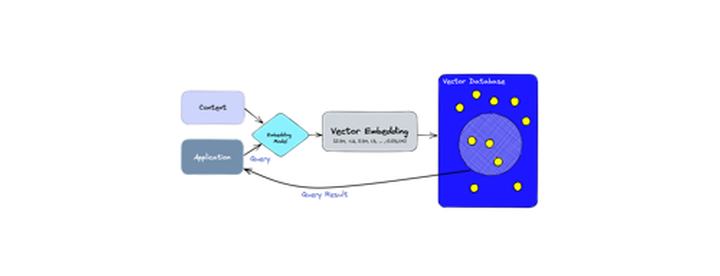
- ChatGPT의 전두엽(장기기억 저장소)으로 각광받고 있는 Vector DB에 대해 알아보자
- 벡터 데이터베이스란? 벡터 데이터베이스는 방대한 양의 고차원 데이터를 벡터 형태로 최적화 하여 보관하고 쿼리하기 위해 특화된 DB 벡터는 서로 다른 특성이나 품질을 기반으로 개체를 설명하는 수학적 데이터 표현입니다. 각 벡터는 단어나 그림과 같은 단일 데이터 요소를 나타내며 여러 특성을 설명하는 값 모음으로 구성됩니다. 이러한 변수를 "기능" 또는 "치수"라고도 합니다. 예를 들어, 그림은 픽셀 값의 벡터로 표현될 수 있지만 전체 문장은 단어 임베딩의 벡터로 표현될 수 있습니다. 벡터 데이터베이스는 인덱싱 전략을 사용하여 특정 쿼리 벡터와 유사한 벡터를 쉽게 찾을 수 있습니다. 이는 기계 학습 과 같은 경우에 특히 유익합니다. 유사한 데이터 포인트를 발견하거나 제...
DEVOTEE 추천 블로그

DEVOTEE를 활성화 시키면
지금 작성한 댓글에 AI가 댓글을 달아줍니다.