
로그인 선택
미리보기
커뮤니티

 23.06.15
글 등록
DEVOTEE를 활성화 시키면
지금 작성한 커뮤니티 글에 대해 1개의 댓글을 달아줍니다.
버튼을 누르면 글 수정 시 ChatGPT가 작성한 댓글이 수정됩니다.
임시저장함
최대 20건까지 저장합니다.
| 컨텐츠 유형 | 제목 | 저장일 | 삭제 |
|---|

본인인증
고객님의 소중한 개인정보보호를 위해
본인인증을 진행해주세요. 본인인증 미 진행 시 로그인이 제한됩니다.
본인인증 로그인에 실패하였습니다.
회원이 아니시거나 본인인증 등록이
완료되지 않은 사용자입니다.
회원정보 연결
SpringBoot 으로 MSA 구현하기(3) - Spring Web MVC 기능(2)

- DEVOTEE 요약
- 본 블로그는 Spring Web MVC에서 HTTP Post에 대응하는 Controller를 사용하는 방법을 설명하고 있습니다. @PostMapping 어노테이션을 사용하여 HTTP Post 메소드를 처리하며, @RequestBody 어노테이션으로 입력 데이터를 받을 수 있습니다. 그리고 @RestController 어노테이션을 사용하여 Json으로 응답할 수 있으며, ResponseEntity를 사용하여 HTTP 상태 코드를 설정할 수 있습니다. 마지막으로, 서버 측 유효성 검사와 에러 처리에 대해 설명하고 있습니다.
지난 설명에 이어서 4. HTTP Post 에 대응하는 Controller 사용 부터 계속 설명한다.
Spring Web MVC 에서 살펴볼 기능은 다음과 같다.
pom.xml 에 필요한 라이브러리 설정
Annotation 으로 Spring Bean 선언
HTTP Get 에 대응하는 Controller 사용
HTTP Post 에 대응하는 Controller 사용
Json 으로 응답하기
Server Side Validation 과 Error 처리
File Upload 와 download
Filter 와 Interceptor
CORS 등록
환경 변수 설정 방법 (application.properties)
Logger 사용
4. HTTP Post 에 대응하는 Controller 사용
신규 데이터를 생성할 때 HTTP Post 를 사용한다. 이 때 데이터는 Body 로 넘어가기 때문에 RequestBody 로 입력 데이터를 전달 받을 수 있다.
또한, 이전 글에서 Resolver 를 사용하여 ClientInfo 객체로 RequestHeader 를 받았는데 Map 형태로 받을 수 도 있다.
...

    @PostMapping(path = "/apps")
    public ResponseEntity<String> createApps(
            @RequestHeader Map<String, String> requestHeaders,
            @RequestBody AppRequest appRequest
    ) {

        requestHeaders.forEach((key, value) -> {
            System.out.printf("Request Header '%s' = %s%n", key, value);
        });

        return new ResponseEntity<>(
                appRequest.createApp(appRequest.getAppName()).toString(),
                HttpStatus.CREATED);
    }
@PostMapping 은 HTTP Post 메소드에 대응하는 어노테이션이다.
코드가 너무 간결해 보이지만 사실 appRequest.createApp 메소드는 필요없으며 대신 Service 클래스가 필요하고 그곳에서 생성과 관련된 비즈니스 로직이 실행된다.
여기서는 아직 Service 를 쓰지 않기 때문에 생성 로직을 AppRequest 클래스에 임시적으로 만든 것이다.
생성이 완료되면 생성된 키 값인 appId 를 리턴하는 코드이다.
AppRequest 클래스는 여기서 단순히 appName 하나만을 받지만 여러 멤버를 지정할 수 있다.
...

@Getter
@ToString
public class AppRequest {

    private String appName;

    public Long createApp(String appName) {
        this.appName = appName;

        System.out.println(this.appName);

        return 1_001_002L;
    }
}
curl 로 호출하면 다음과 같이 응답을 받는다.
$ curl -X POST "http://localhost:18080/apps" \
-H 'Accept: application/json' \
-H 'Content-Type: application/json' \
-d '{"appName": "sample-springboot"}'

-------- output --------------
1001002
5. Json 으로 응답하기
@Controller 와 @RespnoseBody 를 합친 @RestController 라는 어노테이션을 제공한다.
그렇기 때문에 Rest API 를 개발한다면 @RestController 어노테이션을 사용하여 Json 으로 응답할 수 있다.
...
@RestController
public class AppController {

    @GetMapping(path = "/app/{appId}")
    public AppResponse getApps(
            @PathVariable(value = "appId") Long appId,
            @RequestParam(value = "appName") String appName) {

        return AppResponse.createAppResponse(appId, appName);
    }
}
일반 AppResponse 객체가 리턴되는 것으로 표시되어 있는데, 사용자에게는 Json 으로 자동으로 변환되어 리턴된다.
하지만 에러가 발생했는지, 정상적으로 실행되었는지 등의 성공여부를 HTTP Status Code 로 알려줄 수 가 없다.
그래서 일반적으로는 ResponseEntity 객체로 AppResponse 객체를 래핑하여 리턴한다.
@RestController
public class AppController {
    @GetMapping(path = "/apps/{appId}")
    public ResponseEntity<AppResponse> getApps(
            @PathVariable(value = "appId") Long appId,
            @RequestParam(value = "appName") String appName) {

        return new ResponseEntity<>(
                AppResponse.createAppResponse(appId, appName),
                HttpStatus.OK);
    }
}
ResponseEntity 에 들어갈 아규먼트는 순서적으로 body 와 HttpStatus 코드 이다.
body 에는 null 값을 넣어도 되는데, 일반적으로 Json 으로 응답할 객체를 넣는다.
HttpStatus 코드는 반드시 입력해야 한다.
HttpStatus 코드를 정리하면 다음과 같다.
https://developer.mozilla.org/en-US/docs/Web/HTTP/Status
200 OK: 사용자 요청이 성공적으로 처리 되었음 (HttpStatus.OK)201 Created: 주로 HTTP Post 방식으로 리소스를 성공적으로 생성 (HttpStatus.CREATED)204 No Content: 사용자 요청은 성공하였지만, 다른 페이지로 이동할 필요가 없을 때,예를 들어 wiki 페이지를 수정하는 화면에서 HTTP Put 메소드로 수정에 성공하였지만 다른 페이지로 이동할 필요가 없을 때 (
HttpStatus.NO_CONTENT)302 Found: 리소스가 임시적으로 변경되어 사용자 요청을 Redirect 함 (HttpStatus.FOUND)400 Bad Request: 사용자 요청(데이터 혹은 라우팅)이 유효하지 않음 (HttpStatus.BAD_REQUEST)401 Unauthorized: 인증받지 못한 사용자가 요청함 (HttpStatus.UNAUTHORIZED)403 Forbidden: 인가받지 못한 사용자가 요청함 (HttpStatus.FORBIDDEN)404 Not Found: 사용자가 요청한 리소스가 없을 때,보통 static 리소스에 대해서 유효하지 않은 URL(끊어진 링크) 혹은 리소스를 숨기기 위해
403 Forbidden대신에 사용 (HttpStatus.NOT_FOUND)500 Internal Server Error: 서버 오류 발생 (HttpStatus.INTERNAL_SERVER_ERROR)
간혹 검색으로 데이터를 조회할 때 데이터가 없는 경우가 있다.
이 때는 204 No Content 나 404 Not Found 를 리턴하기 보다는 200 OK 를 리턴하고 ResponseBody 값에 null 을 넣는 방법도 있다.
		    return new ResponseEntity<>(
		            null,
		            HttpStatus.OK);
혹은 CommonResponse 객체를 만드는 방법도 있다.
@GetMapping(path = "/apps/{appId}")
    public ResponseEntity<CommonResponse> getApps(
            ClientInfo clientInfo,
            @PathVariable(value = "appId") Long appId,
            @RequestParam(value = "appName") String appName) {

        return new ResponseEntity<>(
                new CommonResponse(null),
                headers,
                HttpStatus.OK);

public interface CommonResponseInterface {}

@Getter
public class CommonResponse {

    @JsonProperty(value = "result")
    private CommonResponseInterface body;

    public CommonResponse (@Nullable CommonResponseInterface body) {
        this.body = body;
    }
}

------ output ---
{"result":null}
응답 코드에서 멀티 헤더 값을 세팅할 수 있다. 이 경우 MultiValueMap 을 사용한다.
        MultiValueMap<String, String> headers = new LinkedMultiValueMap<>();
        headers.add("Custom-Header", "value1");
        headers.add("Custom-Header", "value2");

        headers.forEach((key, value) -> {
            System.out.printf("Response Header '%s' = %s%n", key, value);
        });

        return new ResponseEntity<>(
                appRequest.createApp(appRequest.getAppName()).toString(),
                headers,
                HttpStatus.CREATED);
잘못된 라우팅 정보를 호출할 경우 400 Bad Request 를 호출하고 싶다면 아래와 같이 공통 Controller 를 만들면 된다.
...

@RestController
public class CommonController {

    @GetMapping(path = "/**")
    public ResponseEntity<String> getPageNotFound() {
        return new ResponseEntity<>(
                "Bad Routing Error",
                HttpStatus.BAD_REQUEST);
    }
}
클라이언트에서 호출하면 다음과 같은 결과를 받는다.
$ curl "http://localhost:18080/apps/1131?appName=spring-sample"

--------- output ------------
{
  "id": "1131",
  "appName": "spring-sample",
  "createdAt": "2023-07-31 11:05:53.913",
  "tasks": [
    {
      "version": "v1",
      "createdAt": "2023-07-31 11:05:53.913",
      "id": "16907691539139533"
    },
    {
      "version": "v2",
      "createdAt": "2023-07-31 11:05:53.913",
      "id": "16907691539133283"
    }
  ]
}

$ curl "http://localhost:18080/xxx"

--------- output ------------
Bad Routing Error
정리를 하자면 다음과 같다.
static 리소스에 대한 URL 이 잘못되었을 경우 (끊어진 링크) 혹은 인가 받지 못한 리소스를 숨기기 위해
403 Forbidden대신 사용:404 Not Found요청 데이터가 오류가 있거나 라우팅이 잘못 되었을 경우:
400 Bad Reqeust조회할 데이터가 없는 경우:
200 OK그리고Content 는 null화면 수정 저장 후 그 화면에 그대로 있는 경우:
204 No Content
Json 으로 리턴되는 내용은 AppResponse 객체가 리턴되므로 이 객체를 확인해 보자. AppResponse 는 Task 를 리스트로 갖는 1:N 관계의 일반 자바 객체이다.
@Getter
public class AppResponse {

    @JsonProperty("id")
    @JsonSerialize(using = ToStringSerializer.class)
    private final Long appId;

    private final String appName;

    @JsonFormat(shape = JsonFormat.Shape.STRING, pattern = "yyyy-MM-dd HH:mm:ss.SSS")
    private final LocalDateTime createdAt;

    private final List<AppResponse.Task> tasks;

    public AppResponse(Long appId, String appName, LocalDateTime createdAt) {
        this.appId = appId;
        this.appName = appName;
        this.createdAt = createdAt;
        this.tasks = new ArrayList<>();
    }

    public static AppResponse createAppResponse(Long appId, String appName) {
        AppResponse appResponse = new AppResponse(appId, appName, LocalDateTime.now());
        appResponse.addTask("v1", LocalDateTime.now());
        appResponse.addTask("v2", LocalDateTime.now());
        return appResponse;
    }

    public void addTask(String version, LocalDateTime createdAt) {
        tasks.add(new AppResponse.Task(IdGenerator.create(), version, createdAt));
    }

    @Getter
    public static class Task {

        @JsonProperty("id")
        @JsonSerialize(using = ToStringSerializer.class)
        private final Long taskId;

        private final String version;

        @JsonFormat(shape = JsonFormat.Shape.STRING, pattern = "yyyy-MM-dd HH:mm:ss.SSS")
        private final LocalDateTime createdAt;

        public Task(Long taskId, String version, LocalDateTime createdAt) {
            this.taskId = taskId;
            this.version = version;
            this.createdAt = createdAt;
        }
    }
}
@Getter 는 디펜던시에서 지정한 lombok 을 사용하는 것으로 객체의 멤버 값을 가져올 때 사용된다.
@JsonProperty 는 Json 으로 변환할 때 key 명을 지정하겠다는 의미이고, @JsonSerialize 는 Json 으로 출력할 때 형변환에 사용될 클래스를 지정한다.
@JsonFormat 은 Json 으로 출력할 때 변환할 포맷을 지정할 때 사용한다.
그리고 1:N 의 관계에서 N 을 포함할 때는 ArrayList 를 많이 사용한다.
6. Server Side Validation 과 Error 처리
Validation
서버 사이드에서 유효성 체크는 @Valid 를 사용하여 값의 Null 여부나 Length 등으로 길이 체크를 할 수 있다.
물론 여러가지 체크 로직들이 더 있긴 한데 여기서는 간단한 방법만 알아본다.
public class AppRequest {

    @NotNull(message = "appName can't be null")
    @Length(min = 1, max = 100, message = "appName's length must be between 1 to 100")
    private String appName;
appName은 Null 이어서는 안되고 길이는 1부터 100 사이여야 한다.
ReqeustBody 를 받을 때 Valid 어노테이션을 추가한다.
    @PostMapping(path = "/apps")
    public ResponseEntity<String> createApps(
            @RequestHeader Map<String, String> requestHeaders,
            @Valid @RequestBody AppRequest appRequest
    ) {
        return new ResponseEntity<>(
                appRequest.createApp(appRequest.getAppName()).toString(),
                headers,
                HttpStatus.CREATED);
    }

--- output ---
{
    "errorMessage": "Validation failed for argument [1] in public org.springframework.http.ResponseEntity<java.lang.String> com.ask.example.controller.AppController.createApps(java.util.Map<java.lang.String, java.lang.String>,com.ask.example.controller.AppRequest): [Field error in object 'appRequest' on field 'appName': rejected value [sample-springboot]; codes [Length.appRequest.appName,Length.appName,Length.java.lang.String,Length]; arguments [org.springframework.context.support.DefaultMessageSourceResolvable: codes [appRequest.appName,appName]; arguments []; default message [appName],10,1]; default message [appName's length must be between 1 to 100]] "
}
좀 더 정확한 메세지를 보내기 위해서는 BindingResult 객체를 사용한다.
    @PostMapping(path = "/apps")
    public ResponseEntity<String> createApps(
            @RequestHeader Map<String, String> requestHeaders,
            @Valid @RequestBody AppRequest appRequest,
            BindingResult bindingResult
    ) {

        if (bindingResult.hasErrors()) {
            FieldError fieldError = bindingResult.getFieldError();
            String errorMessage = new StringBuilder("validation error.")
                    .append(" field: ").append(fieldError.getField())
                    .append(", code: ").append(fieldError.getCode())
                    .append(", message: ").append(fieldError.getDefaultMessage())
                    .toString();
            System.out.println(errorMessage);

            return new ResponseEntity<>(
                    errorMessage,
                    HttpStatus.BAD_REQUEST);
        }

        return new ResponseEntity<>(
                appRequest.createApp(appRequest.getAppName()).toString(),
                headers,
                HttpStatus.CREATED);
    }

--- output ---
validation error. field: appName, code: Length, message: appName's length must be between 1 to 100
Validator 인터페이스를 구현하여 사용할 수 도 있다.
앞의 AppRequest 의 NotNull 과 Length 어노테이션을 삭제한다.
대신 아래와 같이 Validator 구현한다.
public class AppValidator implements Validator {

    @Override
    public boolean supports(Class<?> clazz) {
        return AppRequest.class.equals(clazz);
    }

    @Override
    public void validate(Object target, Errors errors) {
        AppRequest request = (AppRequest) target;

        if (Objects.isNull(request.getAppName())) {
            errors.rejectValue("appName", "NotNull", "appName is null");
            return;
        }

        if (request.getAppName().length() < 1 || request.getAppName().length() > 10) {
            errors.rejectValue(
                    "appName",
                    "LengthError",
                    "appName's length must be between 1 to 10");
        }

    }
}
Validator 는 Controller 의 initBinder 메소드를 통해서 등록한다.
@RestController
public class AppController {

    @InitBinder
    void initBinder(WebDataBinder binder) {
        binder.addValidators(new AppValidator());
    }

...

    @PostMapping(path = "/apps")
    public ResponseEntity<String> createApps(
            @RequestHeader Map<String, String> requestHeaders,
            @Valid @RequestBody AppRequest appRequest,
            BindingResult bindingResult
    ) {

        if (bindingResult.hasErrors()) {
            FieldError fieldError = bindingResult.getFieldError();
            String errorMessage = "validation error." +
                    " field: " + Objects.requireNonNull(fieldError).getField() +
                    ", code: " + fieldError.getCode() +
                    ", message: " + fieldError.getDefaultMessage();

            return new ResponseEntity<>(
                    errorMessage,
                    HttpStatus.BAD_REQUEST);
        }

        return new ResponseEntity<>(
                appRequest.createApp(appRequest.getAppName()).toString(),
                headers,
                HttpStatus.CREATED);
    }
Validator 인터페이스를 구현하고 @Valid 어노테이션으로 지정하고 BindingResult 객체를 체크 및 사용하여 세부 에러 메세지를 만들어서 리턴한다.
Error 처리
SpringBoot 에서는 에러를 처리하기 위해서 Controller 클래스의 메소드로 ExceptionHandler 어노테이션을 사용하여 처리할 수 있다.
먼저 아무런 처리 없이 Exception 발생하는 코드를 만들어 테스트 해보자.
이렇게 강제로 예외를 발생시키면 SpringBoot 에서는 Dispatcher Servlet 이 예외를 받아서 요청한 사용자에게 리턴시켜 준다.
@RestController
public class AppController {
@GetMapping(path = "/apps/{appId}/errors")
public ResponseEntity<CommonResponse> getErrors(
@PathVariable(value = "appId") Long appId) {
throw new BadRequestException("Unknown bad request error.\nappId = " + appId);
}
}
------- output ------
<!doctype html><html lang="en"><head><title>HTTP Status 500 – Internal Server Error</title><style type="text/css">body {font-family:Tahoma,Arial,sans-serif;} h1, h2, h3, b {color:white;background-color:#525D76;} h1 {font-size:22px;} h2 {font-size:16px;} h3 {font-size:14px;} p {font-size:12px;} a {color:black;} .line {height:1px;background-color:#525D76;border:none;}</style></head><body><h1>HTTP Status 500 – Internal Server Error</h1><hr class="line" /><p><b>Type</b> Exception Report</p><p><b>Message</b> Request processing failed: com.ask.example.domain.BadRequestException</p><p><b>Description</b> The server encountered an unexpected condition that prevented it from fulfilling the request.</p><p><b>Exception</b></p><pre>jakarta.servlet.ServletException: Request processing failed: com.ask.example.domain.BadRequestException
org.springframework.web.servlet.FrameworkServlet.processRequest(FrameworkServlet.java:1019)
org.springframework.web.servlet.FrameworkServlet.doGet(FrameworkServlet.java:903)
jakarta.servlet.http.HttpServlet.service(HttpServlet.java:564)
org.springframework.web.servlet.FrameworkServlet.service(FrameworkServlet.java:885)
jakarta.servlet.http.HttpServlet.service(HttpServlet.java:658)
org.apache.tomcat.websocket.server.WsFilter.doFilter(WsFilter.java:51)
com.ask.example.server.LoggingFilter.doFilter(LoggingFilter.java:19)
org.springframework.web.filter.CharacterEncodingFilter.doFilterInternal(CharacterEncodingFilter.java:201)
org.springframework.web.filter.OncePerRequestFilter.doFilter(OncePerRequestFilter.java:116)
org.springframework.web.filter.RequestContextFilter.doFilterInternal(RequestContextFilter.java:100)
org.springframework.web.filter.OncePerRequestFilter.doFilter(OncePerRequestFilter.java:116)
org.springframework.web.filter.FormContentFilter.doFilterInternal(FormContentFilter.java:93)
org.springframework.web.filter.OncePerRequestFilter.doFilter(OncePerRequestFilter.java:116)
org.springframework.web.filter.ServerHttpObservationFilter.doFilterInternal(ServerHttpObservationFilter.java:109)
org.springframework.web.filter.OncePerRequestFilter.doFilter(OncePerRequestFilter.java:116)
org.springframework.web.filter.CharacterEncodingFilter.doFilterInternal(CharacterEncodingFilter.java:201)
org.springframework.web.filter.OncePerRequestFilter.doFilter(OncePerRequestFilter.java:116)
</pre><p><b>Root Cause</b></p><pre>com.ask.example.domain.BadRequestException
com.ask.example.controller.AppController.getErrors(AppController.java:46)
java.base/jdk.internal.reflect.NativeMethodAccessorImpl.invoke0(Native Method)
java.base/jdk.internal.reflect.NativeMethodAccessorImpl.invoke(NativeMethodAccessorImpl.java:77)
java.base/jdk.internal.reflect.DelegatingMethodAccessorImpl.invoke(DelegatingMethodAccessorImpl.java:43)
java.base/java.lang.reflect.Method.invoke(Method.java:568)
org.springframework.web.method.support.InvocableHandlerMethod.doInvoke(InvocableHandlerMethod.java:207)
org.springframework.web.method.support.InvocableHandlerMethod.invokeForRequest(InvocableHandlerMethod.java:152)
org.springframework.web.servlet.mvc.method.annotation.ServletInvocableHandlerMethod.invokeAndHandle(ServletInvocableHandlerMethod.java:118)
org.springframework.web.servlet.mvc.method.annotation.RequestMappingHandlerAdapter.invokeHandlerMethod(RequestMappingHandlerAdapter.java:884)
org.springframework.web.servlet.mvc.method.annotation.RequestMappingHandlerAdapter.handleInternal(RequestMappingHandlerAdapter.java:797)
org.springframework.web.servlet.mvc.method.AbstractHandlerMethodAdapter.handle(AbstractHandlerMethodAdapter.java:87)
org.springframework.web.servlet.DispatcherServlet.doDispatch(DispatcherServlet.java:1081)
org.springframework.web.servlet.DispatcherServlet.doService(DispatcherServlet.java:974)
org.springframework.web.servlet.FrameworkServlet.processRequest(FrameworkServlet.java:1011)
org.springframework.web.servlet.FrameworkServlet.doGet(FrameworkServlet.java:903)
jakarta.servlet.http.HttpServlet.service(HttpServlet.java:564)
org.springframework.web.servlet.FrameworkServlet.service(FrameworkServlet.java:885)
jakarta.servlet.http.HttpServlet.service(HttpServlet.java:658)
org.apache.tomcat.websocket.server.WsFilter.doFilter(WsFilter.java:51)
com.ask.example.server.LoggingFilter.doFilter(LoggingFilter.java:19)
org.springframework.web.filter.CharacterEncodingFilter.doFilterInternal(CharacterEncodingFilter.java:201)
org.springframework.web.filter.OncePerRequestFilter.doFilter(OncePerRequestFilter.java:116)
org.springframework.web.filter.RequestContextFilter.doFilterInternal(RequestContextFilter.java:100)
org.springframework.web.filter.OncePerRequestFilter.doFilter(OncePerRequestFilter.java:116)
org.springframework.web.filter.FormContentFilter.doFilterInternal(FormContentFilter.java:93)
org.springframework.web.filter.OncePerRequestFilter.doFilter(OncePerRequestFilter.java:116)
org.springframework.web.filter.ServerHttpObservationFilter.doFilterInternal(ServerHttpObservationFilter.java:109)
org.springframework.web.filter.OncePerRequestFilter.doFilter(OncePerRequestFilter.java:116)
org.springframework.web.filter.CharacterEncodingFilter.doFilterInternal(CharacterEncodingFilter.java:201)
org.springframework.web.filter.OncePerRequestFilter.doFilter(OncePerRequestFilter.java:116)
* Closing connection 0
</pre><p><b>Note</b> The full stack trace of the root cause is available in the server logs.</p><hr class="line" /><h3>Apache Tomcat/10.1.10</h3></body></html>%위와 같은 Error trace 로그는 사용자에게 보여주기에 적절하지 않다. 그래서 적절한 예외(에러)처리 로직이 필요하다.
아래는 ExceptionHandler 어노테이션을 갖는 특정 메소드를 만들어 에러메세지를 처리하는 코드다.
단, exception 중에서 BadRequestException.class 만 처리할 수 있다.
그 이유는 해당 예외 클래스만 처리한다고 선언했기 때문이다.
@RestController
public class AppController {

    @ExceptionHandler(BadRequestException.class)
    public ResponseEntity<ErrorResponse> handleException(BadRequestException ex) {
        return new ResponseEntity<>(
                new ErrorResponse(ex.getErrorMessage()),
                HttpStatus.BAD_REQUEST);
    }

    @GetMapping(path = "/apps/{appId}/errors")
    public ResponseEntity<CommonResponse> getErrors(
        @PathVariable(value = "appId") Long appId) {

        throw new BadRequestException("Unknown bad request error.\nappId = " + appId);
    }
}

------- output ------
{"errorMessage":"Unknown bad request error.\nappId = 1131"}
@ExceptionHandler 에서 처리하는 BadRequestException.class 는 RuntimeException 을 상속받아 구현할 수 있다.
public class BadRequestException extends RuntimeException {

    final private String errorMessage;

    public BadRequestException(String errorMessage) {
        super();
        this.errorMessage = errorMessage;
    }

    public String getErrorMessage() {
        return errorMessage;
    }
}
사용자에게 전달된 값을 출력해 보면 에러메세지가 Json 으로 제대로 출력되는 것을 확인할 수 있다.
위와 같이 각 Controller 마다 예외를 적용한 메소드를 만들 수 있지만 이는 귀찮고 중복된 코드를 발생시킨다.
그래서 @ControllerAdvice 어노테이션을 갖는 클래스를 사용하면 전역의 예외처리를 할 수 있다.
사용법은 아래와 같다.
@RestControllerAdvice
public class CommonExceptionHandler {

    @ExceptionHandler(BadRequestException.class)
    public ResponseEntity<ErrorResponse> handleBadRequestException(BadRequestException ex) {

        return new ResponseEntity<>(
                new ErrorResponse(ex.getErrorMessage()),
                HttpStatus.BAD_REQUEST
        );
    }
앞에서 만든 @RestController 의 handleException 메소드는 comment 해도 제대로 처리되는 것을 알 수 있다.
@RestController
public class AppController {

//    @ExceptionHandler(BadRequestException.class)
//    public ResponseEntity<ErrorResponse> handleException(BadRequestException ex) {
//        return new ResponseEntity<>(
//                new ErrorResponse(ex.getErrorMessage()),
//                HttpStatus.BAD_REQUEST);
//    }

    @GetMapping(path = "/apps/{appId}/errors")
    public ResponseEntity<CommonResponse> getErrors(
        @PathVariable(value = "appId") Long appId) {

        throw new BadRequestException("Unknown bad request error.\nappId = " + appId);
    }

------- output ------
{"errorMessage":"Unknown bad request error.\nappId = 1131"}
만약 모든 Exception 에 대해서 처리하고 싶다면 아래와 같이 CommonExceptionHandler 에 메소드를 추가하면 된다.
@RestControllerAdvice
public class CommonExceptionHandler {

    @ExceptionHandler(BadRequestException.class)
    public ResponseEntity<ErrorResponse> handleBadRequestException(BadRequestException ex) {

        return new ResponseEntity<>(
                new ErrorResponse(ex.getErrorMessage()),
                HttpStatus.BAD_REQUEST
        );
    }

    @ExceptionHandler(Exception.class)
    public ResponseEntity<ErrorResponse> handleException(Exception ex) {

        return new ResponseEntity<>(
                new ErrorResponse(ex.getMessage()),
                HttpStatus.INTERNAL_SERVER_ERROR
        );
    }
}seungkyua 님의 최신 블로그
더보기-

- Kubernetes 배포 및 설정 단계별 설명
- Kubernetes 로 개발을 하다보면 이를 위한 cluster 가 하나씩은 있어야 한다. 로컬에 vm 이나 클라우드에 싱글 vm 을 받았다면 아래와 같이 kubeadm 을 활용하여 나만의 클러스터를 구축할 수 있다. 단계적으로 설정하는 방법을 설명하고 있으니 이를 그대로 따라하면 된다. 1. sudo 사용자 추가, 보안 s/w 내리기, swap off $ sudo adduser ask $ cat 〈〈 EOF | sudo tee /etc/sudoers.d/sudoers-ask ask ALL=(ALL:ALL) NOPASSWD:ALL EOF $ sudo systemctl stop ufw $ sudo systemctl disable ufw $ sudo systemctl...
-
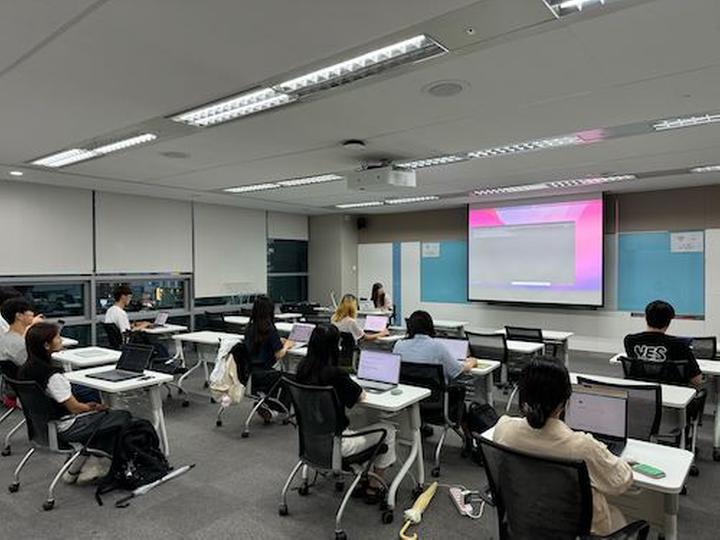
- OpenLab - Deep Dive Kubernetes 7번째 마지막 스터디
- 벌써 마지막 스터디네요. 처음 쿠버네티스의 기본 개념과 활용법을 스터디하고, ArgoCD 를 활용한 GitOps CD 를 공부하고, Go 언어와 커스텀 컨트롤러를 거쳐서, Kubeflow 까지 왔습니다. 7/16(화)에는 OpenLab - Deep Dive Kubernetes 스터디 7번째 마지막 모임이 있었습니다. 이번 스터디 주제는 Kubeflow 의 활용법 입니다. Kubeflow 의 기능은 다양한데, 대표적인 기능이 Pipeline 을 활용한 workflow 만들기와 Katib 를 이용한 hyperparameter tuning, 그리고, KServe 를 활용한 모델 서빙이 있습니다. 오늘은 위 3가지를 모두 공부했습니다. 1가지만 해도 2시간 이상은 필요한...
-
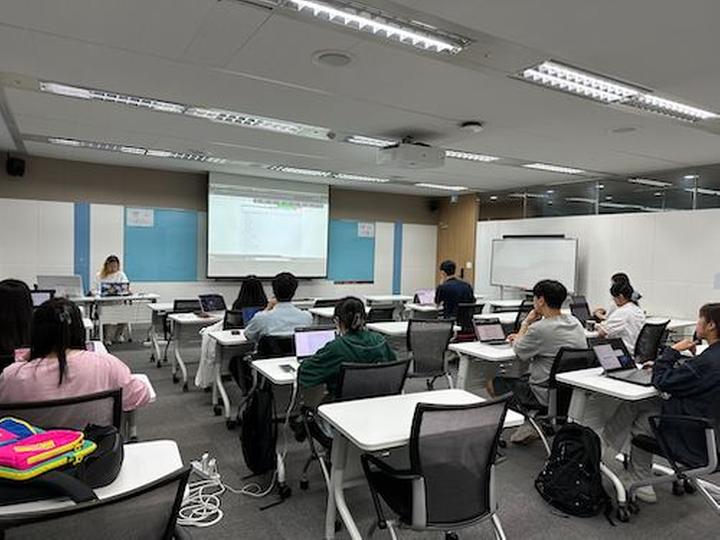
- OpenLab - Deep Dive Kubernetes 6번째 스터디
- 안녕하세요. 7/2(화)에는 OpenLab - Deep Dive Kubernetes 스터디 6번째 모임이 있었습니다. 이번과 마지막 7번째 스터디 2회에 걸쳐서 Kubeflow 에 대해서 공부합니다. 이번 스터디 주제는 Kubeflow 설치 및 대시보드 띄우기입니다. Kubeflow 는 많은 컴포넌트로 구성되어 있어 설치하는 것만도 쉽지가 않습니다. 그래서 이번에는 Kubeflow 를 설치하고 화면을 직접 접속해 보는 것을 스터디 주제로 정했습니다 물론, 다음 마지막 스터디에서는 Kubeflow 를 어떻게 활용하는지 활용 방법과 기능에 대해서 살펴볼 예정입니다. 금번 스터디 내용은 아래와 같습니다. Kubeflow Kubeflow 설치하기 KServe 설치하기 (...
-
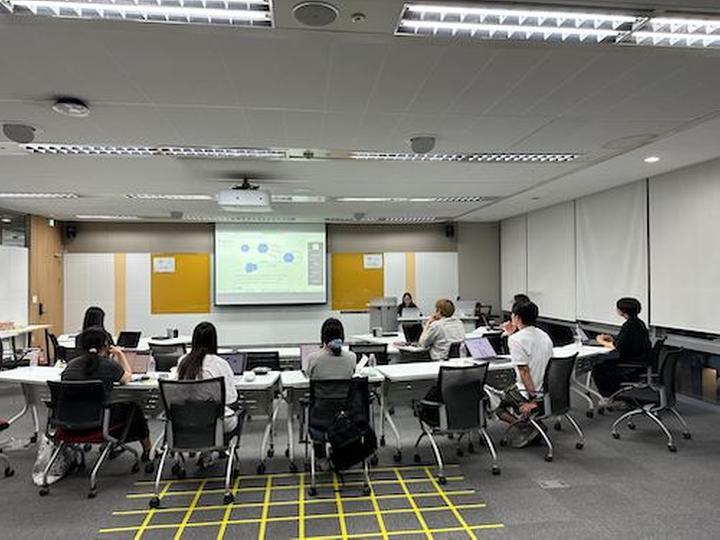
- OpenLab - Deep Dive Kubernetes 5번째 스터디
- 안녕하세요. 지난 6/17(월)에는 OpenLab - Deep Dive Kubernetes 스터디 5번째 모임이 있었습니다. 이번 모임으로 벌써 스터디의 2/3 가 지났네요. :) 이번 스터디 주제는 지난번 스터디의 연속인 custom controller 만들기 두번째 입니다. 지난번 스터디가 Custom Controller 를 만들기 위한 Go 언어에 대한 스터디 였다면, 이번에는 Kubebuilder 로 직접 Go 언어 코드 프로그래밍을 해보는 시간이었습니다. 금번 스터디 내용 Kubebuilder https://book.kubebuilder.io/ kubebuilder 아키텍처 살펴보기 controller-runtime 은 무엇인가? kubebuilder 로...
DEVOTEE 추천 블로그

DEVOTEE를 활성화 시키면
지금 작성한 댓글에 AI가 댓글을 달아줍니다.